Good customization changes what is yours (brand, content, images) and keeps what makes the design work.
Short answer
To customize a design: keep a copy, find in the README which file controls each part, change the name and title, adjust colors through the CSS variables in :root, replace copy and images keeping proportions and variants, write alt text for every image and check the result at 1440, 768 and 390 px, with the keyboard and with “reduce motion” on.
What you need
- The project running (previous guide).
- Your name or brand, your copy and licensed images.
- Optional: git so you can undo changes.
Steps
Keep a copy before touching anything
With git you can go back at any time; without git, duplicate the folder. The package has no .gitignore: create one first so node_modules and dist are not saved.
printf "node_modules/\ndist/\n" > .gitignore git init && git add . && git commit -m "Original design"Check: git status shows no changes and git ls-files lists nothing from node_modules.
Find where each thing is changed
Each package README has a “Where to customize” table. In Pliegue: name in Hero.jsx and Footer.jsx, colors and fonts in styles.css, motion in motion.css.
Check: You know which file to open for each change before asking for it.
Change the brand
Visible name, footer legal line and the tab title.
<title>Marea Estudio — Diseño y estrategia</title>Check: After npm run build, the HTML in dist/ contains your name and no longer the original one.
Adjust colors with variables
Change the variable value, not every single color: the change stays consistent across the site.
:root { --paper: #d8e0dc; /* was: #dedbd4 */ }Check: The built CSS contains --paper:#d8e0dc and the hero background changes in every view.
Replace images carefully
Sample images live in public/assets/. Use your own or licensed material, keep the proportion and also create the smaller variants (for example hero-543 and hero-800) used by srcset. Write alt text that describes the image.
Check: No image looks stretched or cropped at 390 px and each one has alt text.
Check three widths and accessibility
Check 1440, 768 and 390 px; move through the page with Tab and turn on “reduce motion” in your system.
Check: Focus is visible, nothing overflows and with reduced motion animations stay in their final state.
Our example
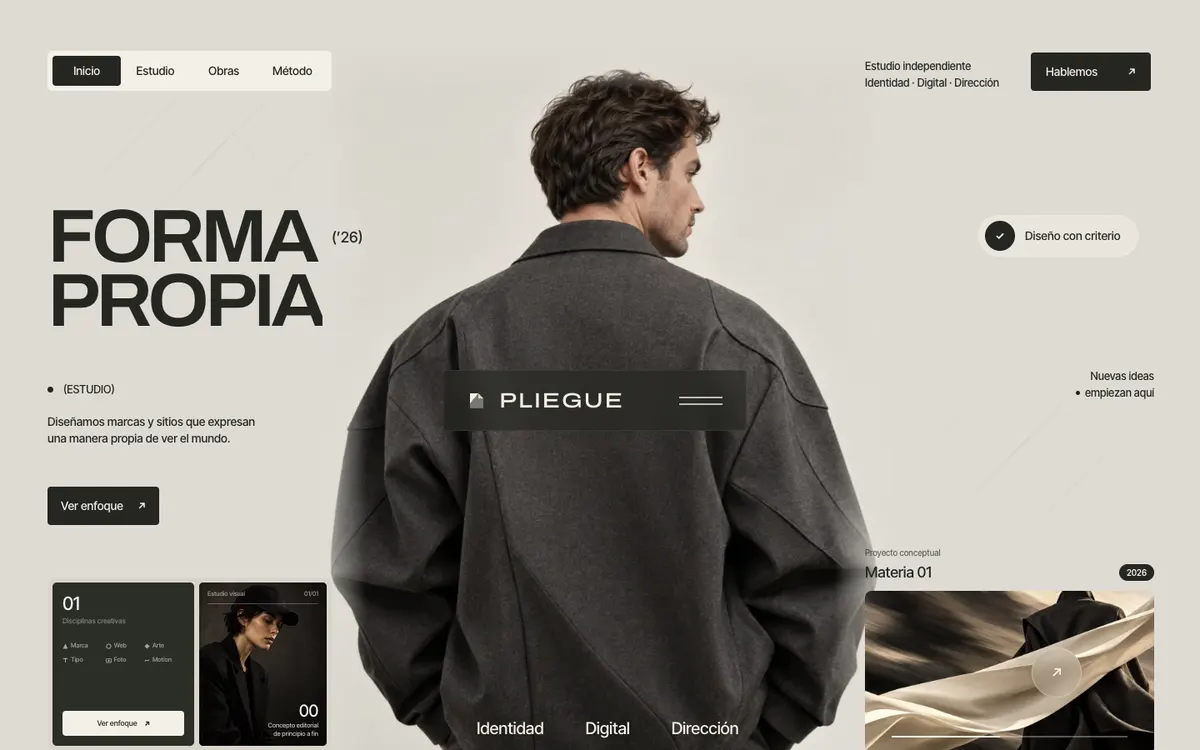
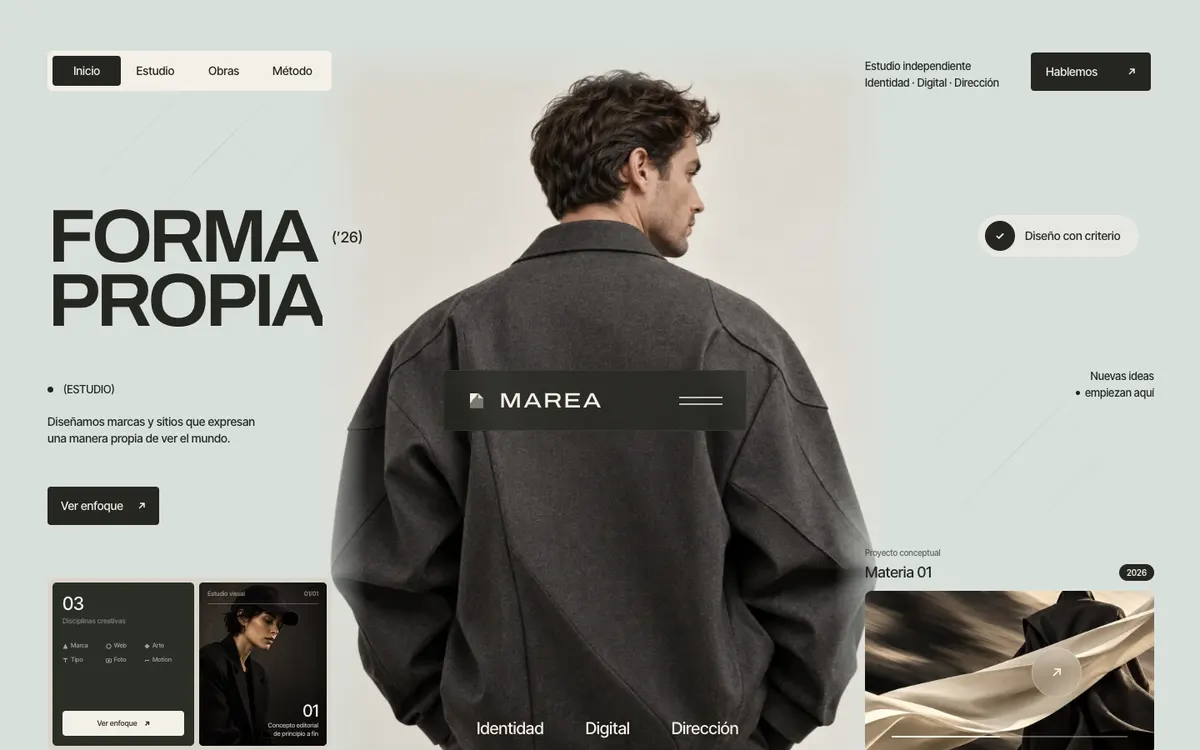
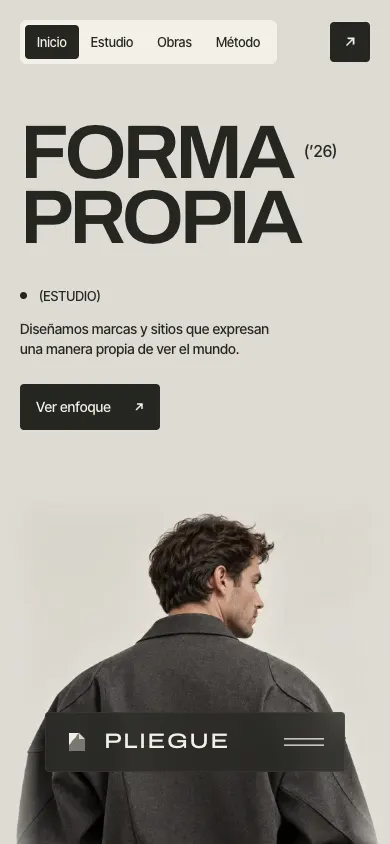
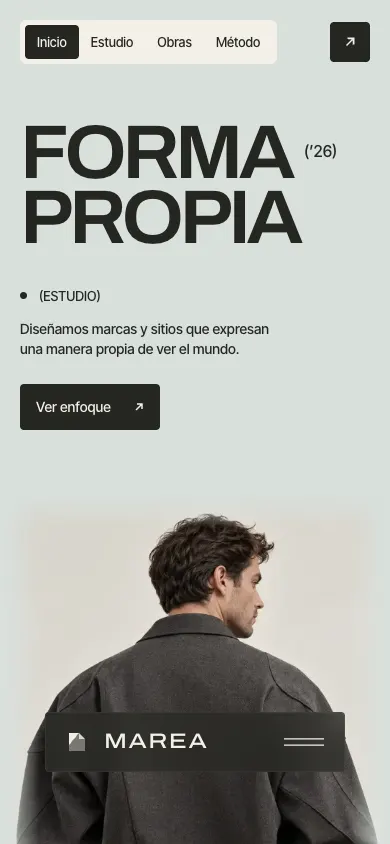
We changed “PLIEGUE” to “MAREA”, the footer legal line, the <title> and the --paper variable from #dedbd4 to #d8e0dc. Nothing else.
We first saved the original in git with a .gitignore (59 files, none from node_modules). The build passed first time; the screenshots below show the design before and after, at 1440 and 390 px.
Common mistakes
- Changing single colors instead of the variables: some areas keep the old color.
- Uploading a new image without its variants: mobile keeps loading the old one.
- Leaving sample copy or clients: they are fictional and must not be published as yours.
- Changing the structure or animations without need: they are what makes the design work.
Next step
When it is ready, continue with the guide to prepare and publish the project.